
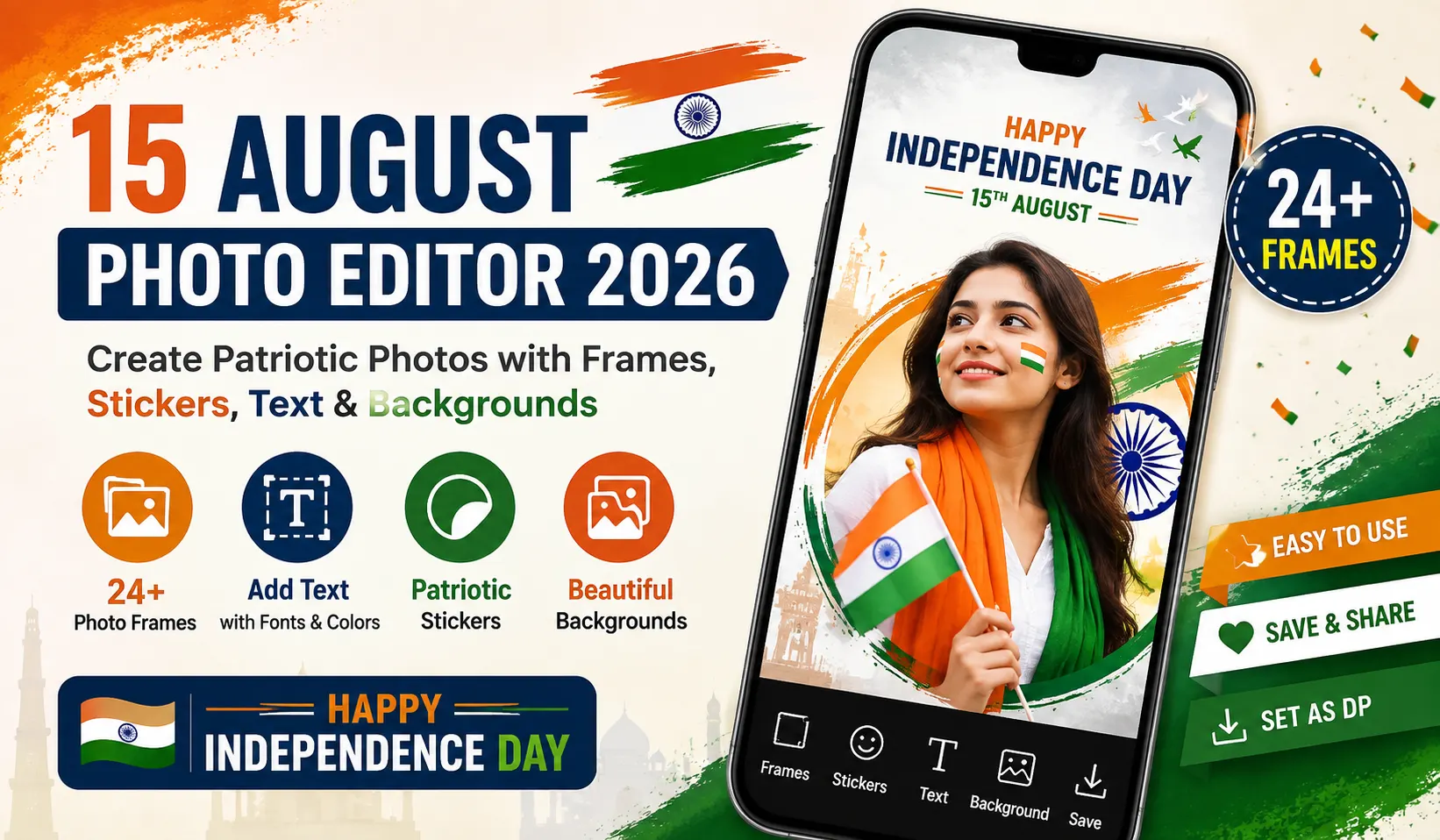
15 August Photo Editor 2026 is a photo editing application designed for creating creative and patriotic photos for India’s Independence Day. The app allows users to decorate their pictures with Independence Day photo frames, text, colors, fonts and other editing options.
According to its Google Play listing, the app includes a collection of 24 Independence Day photo frames and provides options to add text, customize colors and fonts, and apply shadow effects. The listing was updated on July 3, 2026.
15 August Photo Editor App – Overview
| Details | Information |
|---|---|
| App Name | 15 August Photo Editor |
| App Type | Photo Editing App |
| Developer | samriddhi |
| Category | Photography |
| Main Purpose | Independence Day Photo Editing |
| Frames | 24 Independence Day Photo Frames |
| Text Tools | Text, Font, Color & Shadow |
| Updated | July 3, 2026 |
| Content Rating | Everyone |
| Platform | Android |
What is 15 August Photo Editor 2026?
15 August Photo Editor is an application that helps users create Independence Day-themed photos. You can select a picture from your device and customize it using available 15 August photo frames and text-editing features.
The app can be used to create photos for Independence Day celebrations, social media profile pictures, WhatsApp status images and personal greetings.
Independence Day Photo Frames
One of the main features of the application is its collection of Independence Day photo frames.
The current listing mentions 24 high-quality Independence Day photo frames. Users can select a suitable frame and adjust their photo to create a patriotic-themed image.
These frames can be useful for:
- 15 August profile pictures
- Independence Day photos
- WhatsApp status
- Social media posts
- Personal greeting images
- Patriotic photo designs
Add Text to Independence Day Photos
The application also provides text customization features. Users can add their own message to the photo and customize the appearance using available text options.
You can use different:
- Fonts
- Text colors
- Text formatting
- Shadow effects
- Personalized messages
This makes it possible to create a customized Happy Independence Day photo instead of using a ready-made image.
Independence Day Photo Editor App Screenshots
Below are some screenshots of the Independence Day Photo Editor application. These screenshots show the app’s photo editing interface and examples of Independence Day-themed photo designs, frames and patriotic elements.
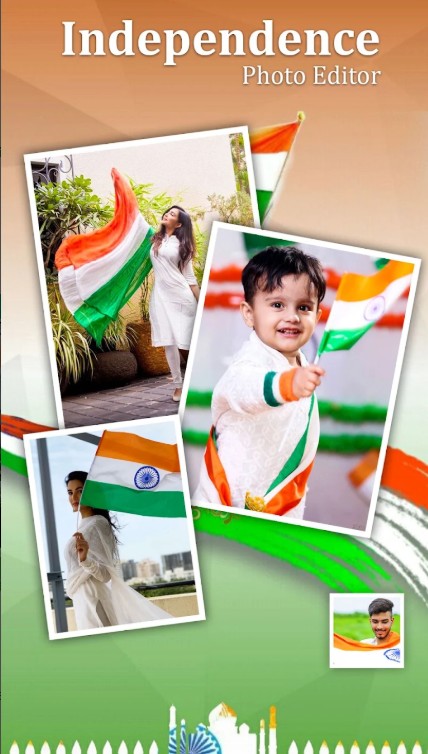
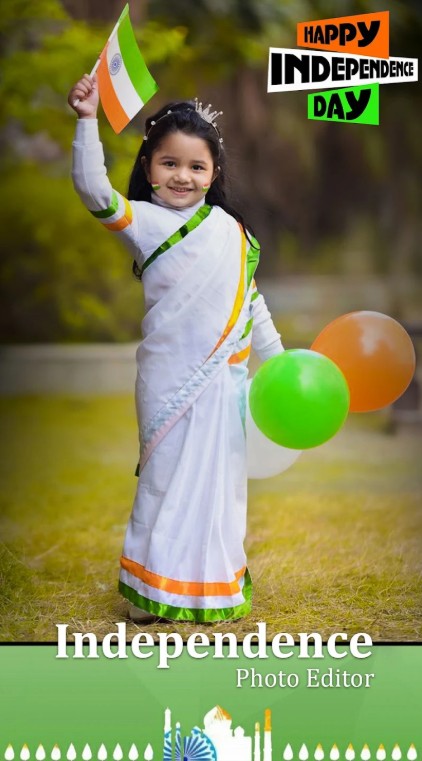
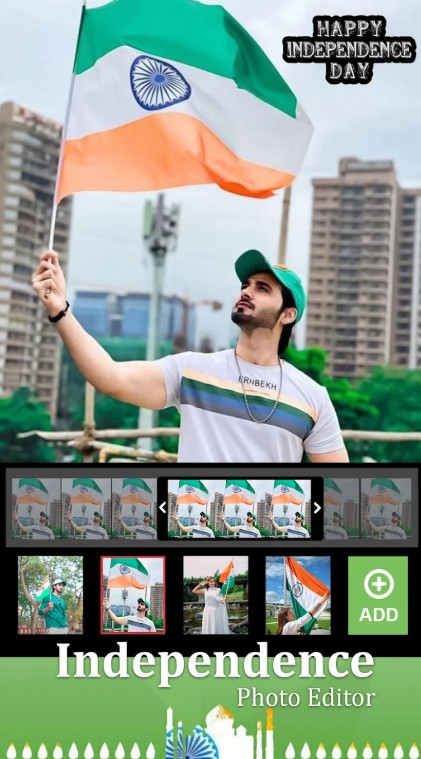
Create a 15 August Profile Picture
You can also use the edited image as a 15 August DP or profile picture. The Google Play listing specifically mentions that saved photos can be used as profile pictures on social accounts.
A simple Independence Day profile picture can include your photograph along with a patriotic frame and a short message.
Independence Day Photo Editing Features
The main features mentioned for the application include:
- Independence Day photo frames
- 24 latest Independence Day frame designs
- Text customization
- Different fonts
- Text color options
- Shadow effects
- Photo saving
- Profile picture support
- Easy-to-use interface
The exact features and availability can change when the developer releases a new version.
How to Use 15 August Photo Editor 2026
Creating an Independence Day photo is straightforward.
Step 1: Open the App
- Launch the 15 August Photo Editor application on your Android device.
Step 2: Select Your Photo
- Choose the photograph you want to edit from your device.
Step 3: Choose an Independence Day Frame
- Select one of the available 15 August photo frames that matches your photograph.
Step 4: Add Text
- Add a personalized Independence Day message to your photo. You can customize the font, color and shadow according to your preference.
Step 5: Adjust the Design
- Position your photograph and text properly so that the final image looks clean and attractive.
Step 6: Save the Photo
- Once you are satisfied with the design, save the edited image to your device.
Step 7: Set as Profile Picture or Share
- You can use the finished image as your profile picture or share it through supported apps and social media platforms.
Why Use a 15 August Photo Editor?
- Independence Day is celebrated across India every year on 15 August. A photo editor makes it easier to personalize your own photograph with an Independence Day theme.
- Instead of searching for a generic profile image, you can create a personalized photo using your own picture, a patriotic frame and a custom message.
15 August Photo Editor for Social Media
The edited photos can be useful for creating:
- WhatsApp DP
- WhatsApp Status
- Instagram posts
- Facebook profile pictures
- Independence Day greetings
- Personal patriotic photos
Before sharing an image publicly, users should make sure that the photo and any additional graphics they use are appropriate for their intended purpose.
Is 15 August Photo Editor Free?
The Google Play listing identifies 15 August Photo Editor as an app containing ads. Availability, pricing and other app conditions can change, so users should check the current Google Play listing before installing or using the application.
Is 15 August Photo Editor Safe to Use?
The app is listed on Google Play with an Everyone content rating. Google Play also provides a Data Safety section where developers disclose information about data collection and sharing. Users should review the latest app permissions and Data Safety information on Google Play before installing any application.
Official App Link
You can check the Independence Day Photo Editor application on the official Google Play Store before installing it.
15 August Photo Editor 2026 Frequently Asked Questions
What is 15 August Photo Editor 2026?
15 August Photo Editor 2026 is a photo editing application designed to help users create Independence Day-themed photos using photo frames and text customization tools.
How many Independence Day frames are available?
The current Google Play listing mentions 24 Independence Day photo frames.
Can I add text to my photo?
Yes. The application provides text customization options including font, color and shadow features.
Can I use the edited photo as my DP?
Yes. The app listing states that saved photos can be used as profile pictures on social accounts.
When was the app last updated?
The Google Play listing currently shows July 3, 2026 as the update date.
Is the app available for Android?
Yes. The application is listed on Google Play for Android devices.
Final Words
15 August Photo Editor 2026 is a simple option for users who want to create personalized Independence Day photos. With its Independence Day frames, text customization, fonts, colors and shadow effects, you can give your favorite photograph a patriotic look.
Whether you want to create a 15 August DP, Independence Day profile picture, WhatsApp status or personal greeting, the application provides basic tools to customize your photo for the occasion.
Always check the official Google Play listing for the latest version, features, permissions and app information before installation.




વંદે માતરમ્
15august2026